Expert Recommended
Tool to Unlock Protected PDFs & Remove PDF Password Restrictions for Windows & Mac OS
Live Free Demo: Download the free PDF Password Unlocker to scan & preview your convertible mail items.
PDFs are secured with multiple permissions or locks, and this tool can help remove both locks efficiently.
Owner Password (Permissions): It will enable you to open a locked PDF normally but will restrict you from performing actions on it. Restrictions such as editing, copying content, or printing the whole PDF make it tough for users to work on such PDF files. It works as a restrictions remover tool for PDFs of any size.
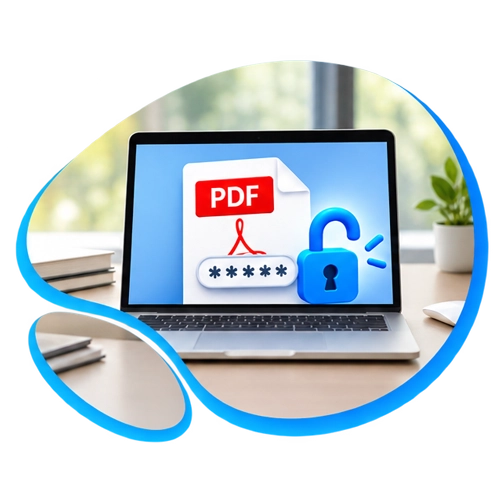
User Password (Open): The word 'open' here highlights its main problem. This lock does not allow a user to open a PDF without a password. You cannot see any content or details without an open password. The content is encrypted to ensure data security and protect it from getting misused. But if you own the file and need to remove this open password from your PDF(s), our tool can help you remove the password from PDF as well, while keeping your data safe and intact.
A password-protected PDF ensures your data is safe, but it can cause you a little difficulty during everyday work. There are a few problems with locked PDFs that users face on daily basis-
No Printouts– PDFs such as bank statements, e-tickets, and important forms are often secured using permissions, which does not allow users to take a printout. Generate a hard copy easily with the unlocked PDF copy.
No Content Copying– These permissions do not allow students or researchers to copy or quote text from such PDFs. If unlocked, it makes the content available, so you don’t have to type same thing multiple times.
No Editing– These permissions can make it difficult for you to change or update any data inside a locked PDF. Editing restrictions can be easily removed using this software.
Repeated Unlocking– Accessing a locked PDF multiple times and each time it asks for a password or restricts actions can be frustrating for the user. An unlocked copy can help users to easily work on it and access it anytime they want.
Unlocking secured PDFs helps you get full control of the data and ensure you can perform any action on it anytime. The problems which this tool solves–
Removes both PDF locks– Both owner and user level restrictions can be removed with the help of this tool. This PDF unlocker tool can be used to unlock multiple files at once.
Free PDF unlocking– No fees is required for unlocking the PDFs. You can remove locks from multiple PDFs with no extra cost. The paid version offers you PDFs with no watermarks, thus helpful in professional fields.
Unlock PDF offline– It is a desktop application, so it works completely offline on your device. The data is stored locally and cannot be accessed by any third-party servers, hence keeping it safe after unlocking.
No file limit– Multiple files can be unlocked together using PDF password remover tool. It can unlock large files in seconds without requiring any paid subscription or fees.
Easy to use– No technical knowledge required to use this software as you only need to add files and click ‘Unlock’ to get a clean copy.
The PDF Password Unlocker is an efficient tool to unlock PDF files and remove restrictions from them. This software consists various incredible features that improve its proficiency and file security. It supports processing multiple PDF files or a whole folder at once to increase efficiency and save time. Along with that, it keeps the data intact throughout the process and works with all versions of the Windows OS. Overall, it is an expert favorite offline software because of the high reliability and security it provides to users and their protected data.
Core Functionality
Unlock PDF Files without a Password
The PDF Password Remover is capable of removing PDF document restrictions without requiring a Permissions Password, also known as the owner password or master password. It can unlock PDF files for copying, printing, editing, and extracting page data. Using this tool, users can also unlock restrictions from a PDF like highlight, sign, comment, document assembly, and form-filling in PDF files. Upon processing the files, it also provides the option to save output files at a desired location.
Unlock Multiple PDFs Together
This outstanding PDF password unlocker tool supports unlocking PDF files in batch mode. Thus, if users want to unlock a large number of PDF files then they can do so using this tool without any difficulties. It helps users in saving a lot of time and effort. Users can simply select the Add File(s)/Add Folder mode to load their PDF files to the tool for bulk unlock. If there are folders that have a specific hierarchy or contain multiple subfolders then this tool preserves the hierarchy as the original.
Remove Password from Protected PDF Files
This Adobe PDF Unlocker tool can easily unlock owner-level password security and unlock PDF file restrictions as well. In case, there is a user password applied to the PDF document then users can unlock it by providing the required password in the respective field. Moreover, if it is necessary to provide a password for any PDF file, then the software will notify you in the beginning.
Show PDF Permissions and Details
Upon loading PDF files in the tool, it automatically shows the details of the respective file in the preview section. It lists PDF details such as File Size (KB) and Permissions. Initially, the permissions are listed “Disabled”, however, after the PDF gets unlocked, it turns to “Enabled”. A password section is also there to put the user password, also known as Document Open Password.
Supports Printing Resultant PDF
Along with saving the resultant PDFs, the PDF Password Unlocker also provides users with the option to print the unlocked PDF files. Users simply have to select the respective radio button beside the “Print” option and the procedure will go accordingly.
Reposits Source PDF Password
As the name suggests, the “Keep source PDF password in output PDF” option reposits the source PDF password in the resultant files. This feature can be used in case a file has user-level security and needs to be unlocked by preserving the password.
Maintains 100% PDF File Integrity
The PDF Password Remover ensures 100% preservation of data integrity of the PDF files you upload in it. It keeps the hierarchy and original formatting unaltered and intact throughout the unlocking procedure. Moreover, it keeps the respective attachments and other formatting intact as well.
Saves Output PDFs in a New Folder
This offline PDF Unlocker provides users with the option to save the resultant files. For that, users can click the “Change” button to set a preferred location folder to save the output PDF files or they can also choose to create a new folder to save the unlocked PDFs on their system.
Software Specifications
| Version: | 5.3 |
| Size: | 44.5 MB |
| Software Download: | Download Now Download Now |
|
Trial Limitations: |
Trial version of PDF Password Unlocker allows splitting and saving first 5 PDF files It will add watermark on the resultant files as well. |
| Hard Disk Space: | 100 MB of free hard disk space required |
| RAM: | 4 GB of RAM (4 GB is recommended) |
| Processor: | Intel® Core™ 2 Duo CPU E4600 @ 2.40GHz 2.39GHz |
|
Platforms: |
Windows 11 (64 bit), 10, 8, 7 (32 bit or 64 bit) & Windows Server 2019, 2016, 2012 R2, 2008 Compatible with Microsoft Outlook 2000, 2003, 2007, 2010, 2013, 2016, 2019, 2021 (32/64 bit) |
|
Pre Requisites: |
|
|
Product Guide: |
Software Guide Installation Uninstallation EULA |
Software Screenshots & Snippets
Software Overview
|
Features |
Trial Version |
Full Version |
|---|---|---|
| Adds PDF File(s)/ Folder |
|
|
| Removes Restrictions from user PDF files |
|
|
| Enables Form-Filling in PDF Files |
|
|
| Windows OS Supported (all versions) |
|
|
| Saves Unlocked PDF Files |
|
|
| Prints Unrestricted PDF Files |
|
|
| Exports PDFs without Watermark |
NO |
|
| Price |
Free |
$39 |
| 100% Refund Policy |
PDF Password Remover
Here are the Quick and simple steps to execute the task using this tool:
Yes, it does. This software works on all versions of the Windows Operating System without any issues as it is highly compatible with all versions. Thus, no matter which version you use, you can install this tool on your system.
Remove print restrictions from your PDF by using this PDF Unlocker. It will keep the data and layout intact and help you get a copy that you can print easily.
Absolutely. This PDF Unlocker provides users with an interactive and rich graphical user interface (GUI). This makes the whole execution process incredibly easy to navigate, so it doesn’t matter whether you are technically sound or not, anyone can easily navigate through this tool, without any issues.
Yes.This offline Unlocker tool for PDFs keeps all your data, including digital signs intact and safe, even after unlocking it for further use. Other online websites may invalidate the signatures.
Removing a password from a secured PDF that you own or are allowed to work with, falls under the legal part. It is always advisable to not unlock someone else’s PDFs without consent, as it may break copyright rules.
Permissions for the users can be removed without requiring a password but if your PDF contains an open password, you cannot unlock it without its original password.
Yes, it is. The PDF Password Remover provides the Add File(s)/Add Folder option to load and process multiple files at once without any difficulties.
What Our Clients Say About Us
Landon Finch
California, USA
What an amazing tool this is! This PDF unlocker software unlocks and removes restrictions from PDFs and allows printing, editing, copying, and extracting information. Its very easy-to-use for non-technical people as well. Highly recommend this tool.
Matt Finnigan
Texas, USA
I wanted to unlock multiple files of my client. I am suprised how efficiently this tool processes multiple PDF files in one go. Even the demo version of this PDF Password Remover is completely free of cost and gives a great insight into how the tool functions. In short, this is a great multifunctional tool that you must try.